How to Save in ICARUS and Where the Save File Lives
How do you save in ICARUS, how often does it autosave, and where is the save file? Full answers, plus how to share a prospect so any friend can host it.
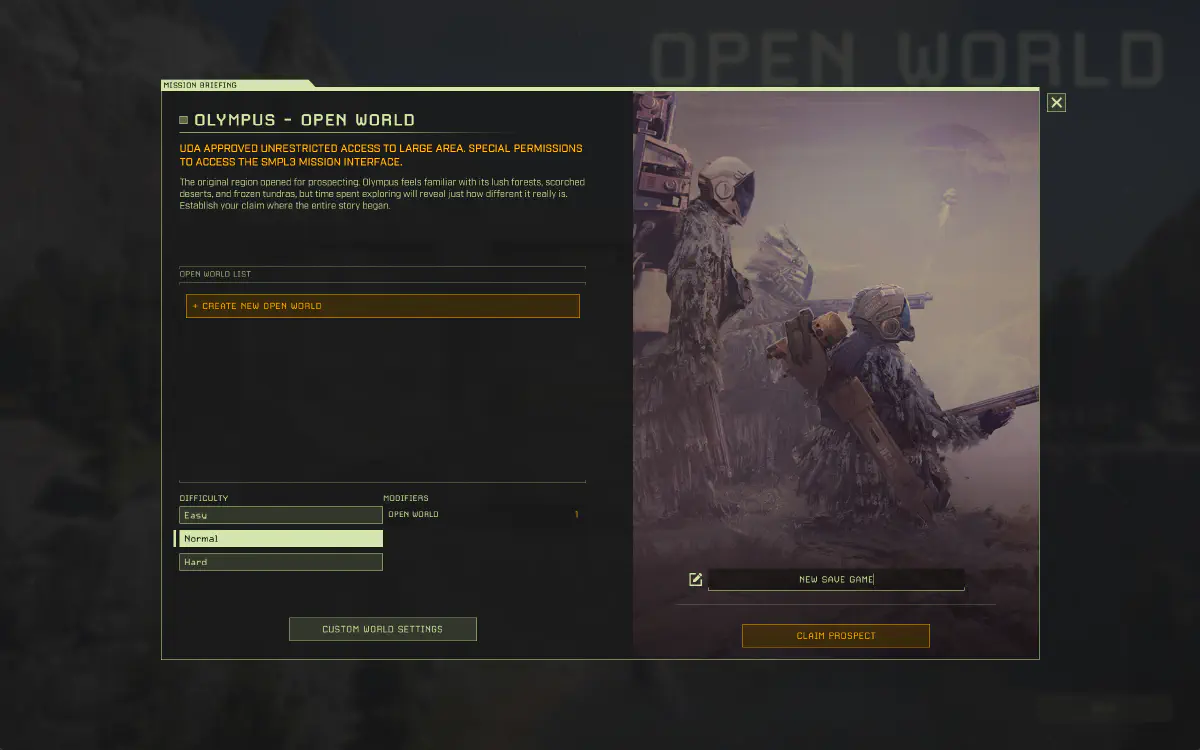
ICARUS is unusual among survival games in that you never press save. There is no save button, no quicksave key, and no save slot menu - which is exactly why so many people go looking for one. This guide answers how saving actually works, where the files live, and how to get a prospect onto a friend’s machine so they can host it when you are not around.
How Do You Save in ICARUS?
You don’t. ICARUS saves automatically and gives you no manual save button. Three things trigger a write:
- The autosave timer, roughly every 10 minutes by default.
- Logging out of the prospect.
- Exiting to the character select screen.
A pop-up appears on screen each time a save is written, so you are never guessing. What you cannot do is force a save mid-session from the pause menu - that option does not exist.
How to Force a Save in ICARUS
Exit to the character select screen. That flushes the prospect to disk straight away and is the only reliable “save now” the game offers. If you are about to do something risky, do it right after an autosave pop-up rather than right before one.
How Often Does ICARUS Autosave?
Every 10 minutes out of the box, and the interval is adjustable from 1 to 60 minutes in the Gameplay settings. If a crash would cost you more than you are willing to lose, turn it down to two or three minutes - the write is fast enough that you will barely notice it.
Where Is the ICARUS Save File Located?
ICARUS keeps your prospect saves in your Windows user folder:
%LOCALAPPDATA%\Icarus\Saved\PlayerData\<SteamID>\Prospects\
Paste %LocalAppData%\Icarus\Saved\PlayerData into File Explorer or the Win+R Run box to jump straight there, then open your Steam ID folder. A few details that matter:
- Each prospect - Open World, Outpost, or mission - is a single
.jsonfile (for exampleOlympus_J1.json), with a rolling.json.bakbackup beside it. - Your character (level, talents, tech tree) is stored separately from prospects, so it carries across every world you play.
- Don’t rename or hand-edit these files; a tampered save can be rejected.
Do Missions Save the Same Way?
No, and this trips people up. Mission prospects are discarded when you return to orbit - the world is thrown away and only your character plus whatever you carried out in the drop pod is kept. Open World and Outpost prospects persist between sessions. Those are the ones worth backing up or handing to someone else.
Does ICARUS Use Steam Cloud?
No. Your prospects exist on one machine and nowhere else. There is no cloud copy to restore from, no sync to a second PC, and no safety net if the drive dies. For solo play that is merely a backup problem. For co-op it is the whole problem, because the prospect lives on the host’s disk and the rest of the group cannot reach it.
How to Share an ICARUS Prospect With a Friend
The manual version is straightforward, if tedious:
- Close ICARUS on both machines - the game writes a save on exit, so copying while it runs will lose the transfer.
- Open
%LOCALAPPDATA%\Icarus\Saved\PlayerData\<SteamID>\Prospects\and grab the.jsonfile for the prospect. - Send it over (Discord, drive, USB) to whoever is hosting next.
- They drop it into the same
Prospectsfolder under their own Steam ID. - They launch ICARUS and the prospect shows up in their list.
It works. The catch is that you have to do it after every single session, in both directions, and the moment two people play on separate copies you have two divergent prospects and no way to merge them.
How SaveSync Handles It Automatically
SaveSync syncs the prospect .json to every PC in your group, drops it in the right folder under each player’s own Steam ID, and tracks which copy is newest so nobody hosts from a stale one.
How to Set Up SaveSync for ICARUS
- Install SaveSync from Steam on every PC that might host.
- Close ICARUS completely. SaveSync only works while the game is not running.
- Open SaveSync and pick ICARUS from the game list on the left.
- Click + New Save, choose your prospect, then Create Save.
- Wait for the green checkmark, which means the prospect has finished uploading.
- Click the share icon, search your friend’s Steam username, and hit Share.
- Your friend clicks Activate in their own SaveSync, launches ICARUS, and the prospect is there.
One note specific to this game: SaveSync lists open-world prospects only, not faction missions - which matches how ICARUS itself treats them, since missions do not survive extraction anyway.
Never Lose a Prospect to Scheduling Again
ICARUS builds time pressure into the design, and none of that pressure should come from waiting on whoever happens to own the save file. With the prospect synced, whoever is free tonight hosts, and the rest of the group joins them.
New to the tool? Start with Getting Started with SaveSync. If your usual host is offline, see how to play co-op when the host is offline, and how to switch host in co-op games covers handing hosting duty over cleanly.